Why it mattered
The hard part was not making an AI call.
The client needed AI-assisted call handling and reporting, but the real challenge was not just making an AI phone call. The setup had to respect existing phone-number trust, SMS inbox behavior, the difference between inbound and outbound calls, booking safety, reporting reliability, and operator override controls. The value was in setting up a voice agent that works inside real operations, not a standalone bot.
What I set up
A voice agent built for real operations.
Fifteen documented Vapi and n8n workflows, with nine published active workflows
Separate inbound and outbound assistant behavior
Vapi end-of-call reports normalized into PostgreSQL, Gmail, and Telegram
Direct Calendly availability checks and booking with confirmation guardrails
Quo fallback SMS with a shared eligibility gate and test-number controls
Booking-confirmed suppression so customers do not receive unnecessary follow-up SMS
PostgreSQL duplicate prevention across repeated end-of-call events
Final-state inbound missed-call SMS with voicemail, message, booking, internal, duplicate, and cooldown suppression
A 24-hour per-caller cooldown backed by durable PostgreSQL reservation state
AI ON and AI OFF control through approved Telegram, Gmail, or protected webhook commands
Direct business outcome
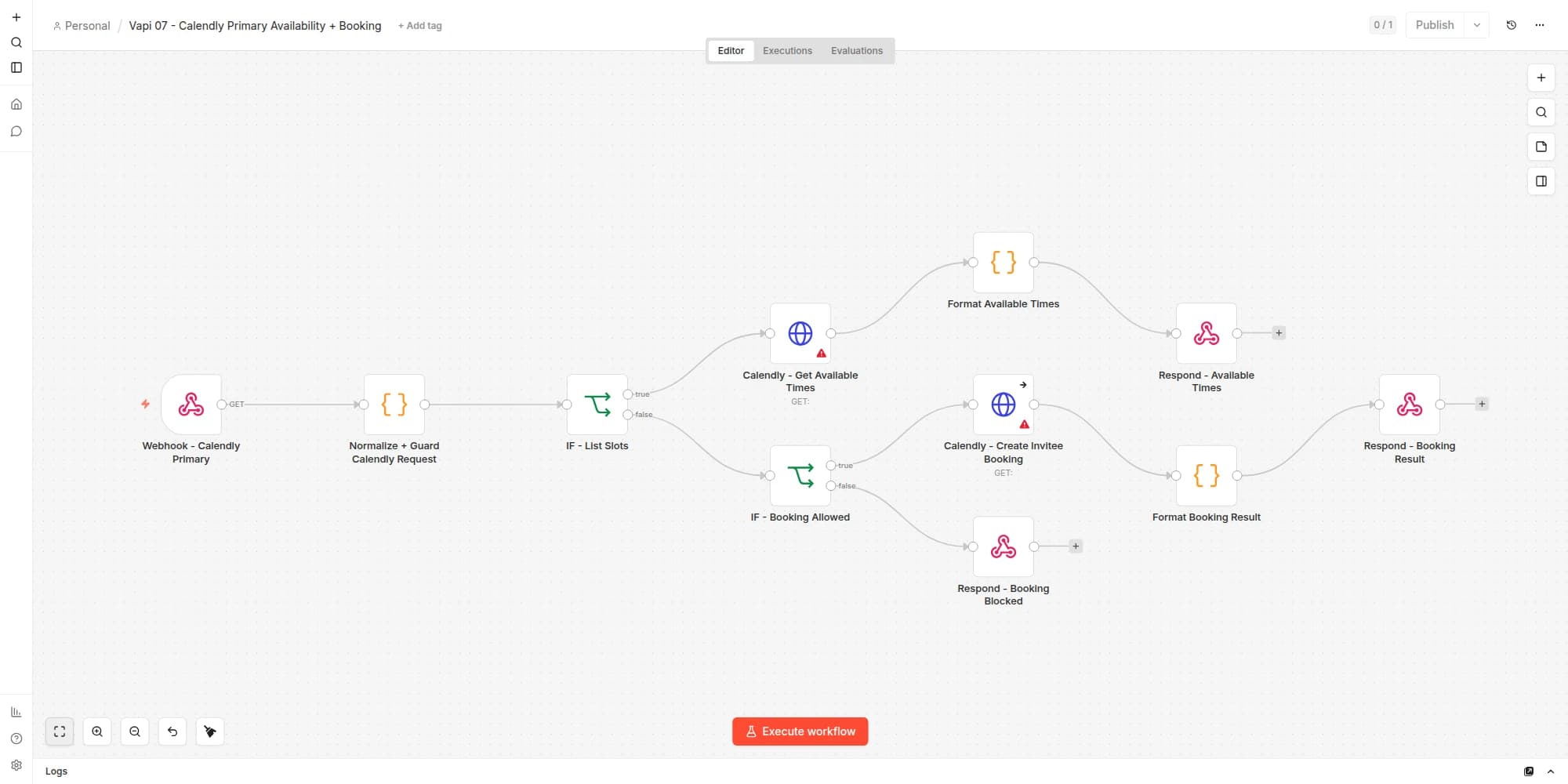
Vapi checks Calendly and books the confirmed time.
This is not a booking-link handoff disguised as automation. Vapi calls the n8n booking tool, receives live Calendly availability, presents real options, waits for explicit confirmation, and then creates the invitee in Calendly.
A successful result returns confirmed booking data to the voice agent and marks the call as booked. That booked state suppresses unnecessary fallback SMS. If booking is not allowed or Calendly does not confirm the action, the assistant does not claim that a meeting exists.
1 / Ask
Vapi recognizes booking intent
When the caller wants to schedule, the assistant invokes the protected Calendly workflow instead of guessing availability.
2 / Check
n8n returns live Calendly slots
The list-slots branch calls Calendly for current availability, formats the response, and returns real choices for the assistant to present.
3 / Confirm
The caller chooses a real time
Vapi waits for the caller to choose and explicitly confirm a slot. The workflow does not treat conversational interest as a booking.
4 / Book
Calendly creates the invitee
The booking branch passes a permission gate, creates the Calendly invitee, formats the result, and returns confirmed booking data to Vapi.
Voice agent workflow breakdown
Nine production workflow lanes.
Workflow 1
Outbound Lead Follow-Up Agent
Set up a voice agent that calls new leads with context and moves them toward the next business step.
Lead event or test trigger -> normalize lead fields -> outbound call request -> Vapi assistant receives customer context -> assistant calls lead -> safe booking path or booking-link fallback -> post-call report to email and Telegram
- Receives lead context such as name, phone, email, and inquiry type when available.
- Passes context into the assistant so the call starts with useful customer information.
- Uses outbound-only behavior so it does not act like an inbound receptionist.
- Uses Calendly as the live scheduling source of truth.
- Does not confirm a booking unless the scheduling action succeeds.
- Uses controlled Quo SMS or a Calendly link when booking cannot be completed cleanly.
A context-aware, business-safe outbound agent that speeds up lead response without letting AI invent bookings or availability.
Workflow 2
Inbound Note-Only Receptionist Agent
Set up an inbound agent that answers calls safely without overpromising.
Customer calls business number -> inbound Vapi assistant answers -> receptionist prompt -> asks what the caller needs -> records notes for the owner -> booking-link follow-up when appropriate -> post-call report to admin
- Keeps inbound behavior separate from outbound behavior.
- Uses a note-taking receptionist style, not a sales or pricing agent.
- Does not answer pricing or package questions unless explicitly approved.
- Does not pretend to reschedule or cancel bookings without a real tool action.
- Collects caller issue and service need as notes.
- Gives the customer a safe path to talk to the business owner.
A careful receptionist layer that protects customer experience by preventing the AI from over-answering.
Workflow 3
Quo Fallback SMS and Inbox Strategy
Keep customer follow-up inside the business's real SMS inbox while preventing duplicate or unnecessary messages.
Vapi call outcome -> shared SMS eligibility gate -> booking and duplicate checks -> Quo API send -> visible business inbox thread
- Uses Quo as the visible SMS thread source of truth.
- Preserved the principle that customers should see and reply to the same familiar business number when possible.
- Suppresses fallback SMS when a booking is already confirmed.
- Uses a shared gate and test-number controls before any customer-facing send.
A customer-safe fallback path that preserves inbox continuity without sending duplicate follow-ups.
Workflow 4
Twilio Verified Caller-ID Bridge
Test a setup where outbound AI calls can show the existing business number while Vapi handles the conversation.
Workflow or webhook trigger -> bridge endpoint -> Twilio starts outbound call with verified business caller ID -> answer webhook returns provider-bypass TwiML -> Vapi handles the live AI call -> end-of-call report routes back to reporting
- Uses Twilio as the call origination and control layer.
- Uses a verified existing number as outbound caller ID when supported.
- Bridges the answered Twilio call into Vapi using a provider-bypass TwiML pattern.
- Keeps native Vapi calling for internal tests, and uses the bridge when visible number consistency matters.
- A local proof-of-concept was tested where Twilio originated the call and the assistant spoke through the bridged path with the intended caller ID.
Practical phone-system problem solving: connecting Twilio and Vapi through bridge logic with production-safety thinking.
Workflow 5
End-of-Call Reporting and Event Ledger
Turn AI voice calls into readable business records.
Vapi end-of-call-report event -> normalize fields -> PostgreSQL event ledger and dedupe -> Gmail report + Telegram summary
- Captures Vapi call-completion events.
- Normalizes call-report fields into a consistent reporting payload.
- Writes call state to PostgreSQL before downstream follow-up.
- Sends readable admin emails with summary, transcript, recording link, and next action.
- Keeps mobile Telegram summaries short while full details remain in email.
Reliable post-call visibility with durable state for duplicate prevention and downstream decisions.
Workflow 6
Telegram Call Summaries
Give the operator a short, fast update without opening full email reports.
Call or report event -> summary extraction and normalization -> Telegram message with compact status -> full details remain in email
- Sends short call summaries to Telegram.
- Keeps it concise: result, caller label, booking status, next action, and a pointer to the full email.
- Avoids dumping raw transcripts into chat.
- Supports operator awareness without overwhelming the user.
Multi-channel reporting that separates quick mobile alerts from full admin records.
Workflow 7
Email and Telegram AI Mode Control
Give the business a safe human override for voice-agent behavior.
Approved Telegram command or approved email subject -> command parser and filter -> shared AI Mode state -> confirmation to Telegram and email -> optional delayed automatic re-enable
- Supports Telegram command control and approved Gmail command control.
- Uses approved-sender filtering so random emails cannot control the system.
- Uses simple command subjects like AI ON and AI OFF.
- Keeps the same storage key and value across control channels.
- Sends a status confirmation after changes and can re-enable AI mode after a delay.
Operational control design, not just automation execution, with a real human override path.
Workflow 8
Inbound Missed-Call SMS Safety Path
Follow up on a genuinely missed inbound call without texting callers who already left a message or reached the business.
Final inbound call report -> normalize final evidence -> authenticated non-blocking dispatch -> suppression checks -> PostgreSQL reservation and 24-hour cooldown -> dry-run bypass or Quo send -> record result
- Waits for a reliable final call state before making the decision.
- Suppresses answered or handled calls, bookings, voicemail or usable caller messages, internal traffic, invalid phones, duplicates, and active cooldowns.
- Reserves an eligible call in PostgreSQL before any provider request.
- Uses one-send-per-call protection plus a 24-hour caller cooldown.
- Passed authentication, suppression, duplicate, and cooldown dry-run QA.
- Keeps the live Quo delivery limit explicit: delivery of the exact new message copy was intentionally not claimed.
A fail-closed missed-call follow-up path that protects customer trust while still recovering calls that left no usable message.
Workflow 9
n8n Production Workflow Layer
Connect the voice agent to the rest of the business workflow.
Voice-call events -> n8n workflow suite -> reporting, SMS gating, duplicate prevention, booking, dispatcher, and AI mode control -> monitored production paths
- Maintains fifteen documented workflows with nine published active workflows.
- Routes reporting, Quo SMS, Calendly booking, missed-call decisions, dedupe, and admin controls through separate lanes.
- Favors controlled triggers, test-number gates, and rollback-ready releases.
Voice agents set up as part of a full operations system, not isolated demos.
Actual workflow evidence
The workflows inside n8n.
These are actual n8n editor captures rendered from sanitized copies of the published workflows. The node names, connections, and canvas positions are preserved. Credentials, private URLs, customer data, execution payloads, and node parameters are removed from the capture environment, which is why some nodes show configuration warnings.
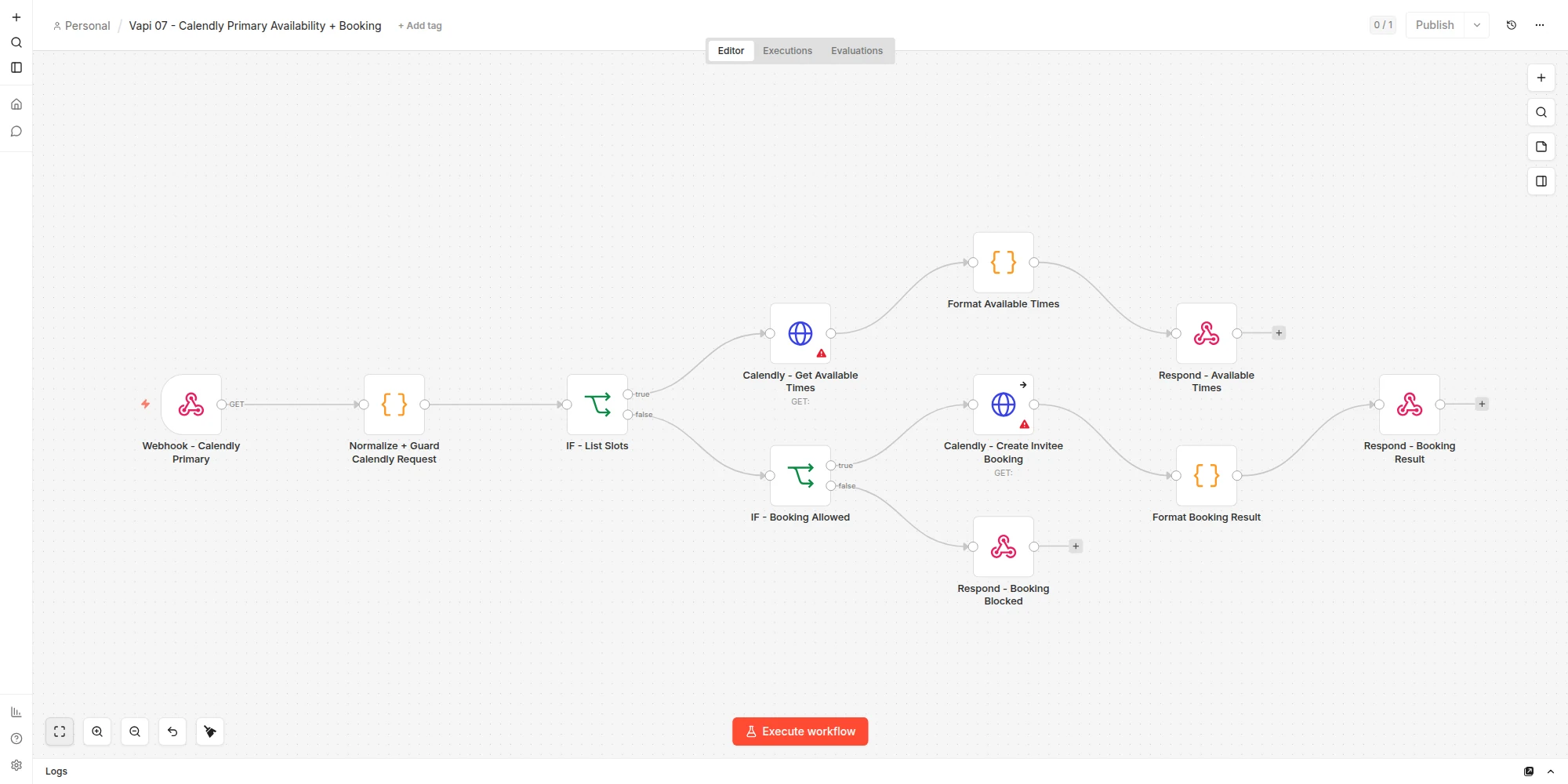
Actual n8n capture: Vapi 07 Calendly Availability + Booking
Vapi tool request -> normalize and guard -> list live Calendly slots or validate booking permission -> create invitee -> format and return the confirmed result
Open full-size screenshot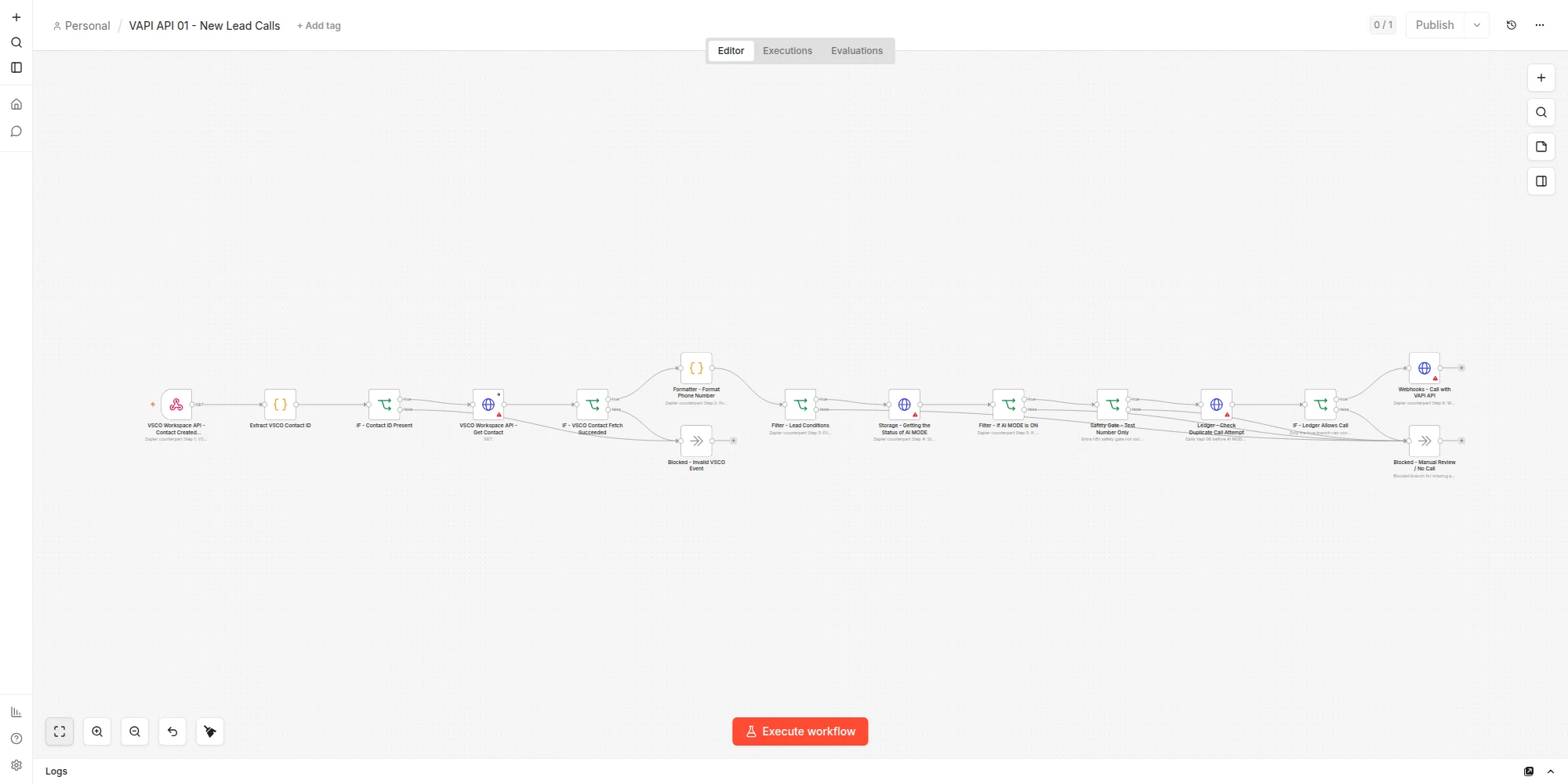
Actual n8n capture: New Lead Calls
New lead event -> fetch and validate contact -> format phone -> check lead conditions and AI mode -> test-number safety gate -> durable duplicate check -> Vapi call or manual-review block
Open full-size screenshot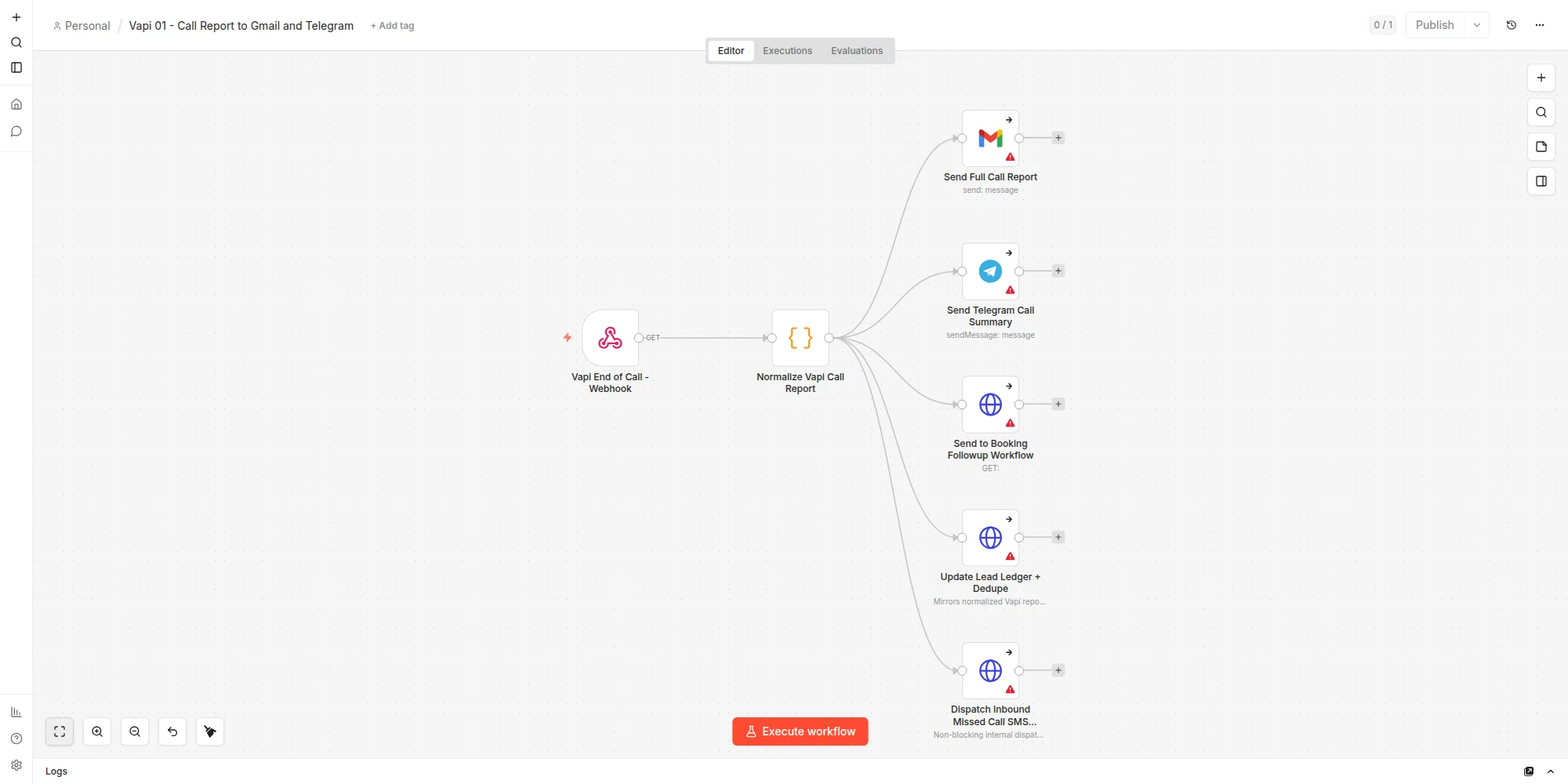
Actual n8n capture: End-of-Call Reporting
Vapi end-of-call webhook -> normalize report -> Gmail detail + Telegram summary + booking follow-up + lead ledger + non-blocking inbound missed-call decision
Open full-size screenshot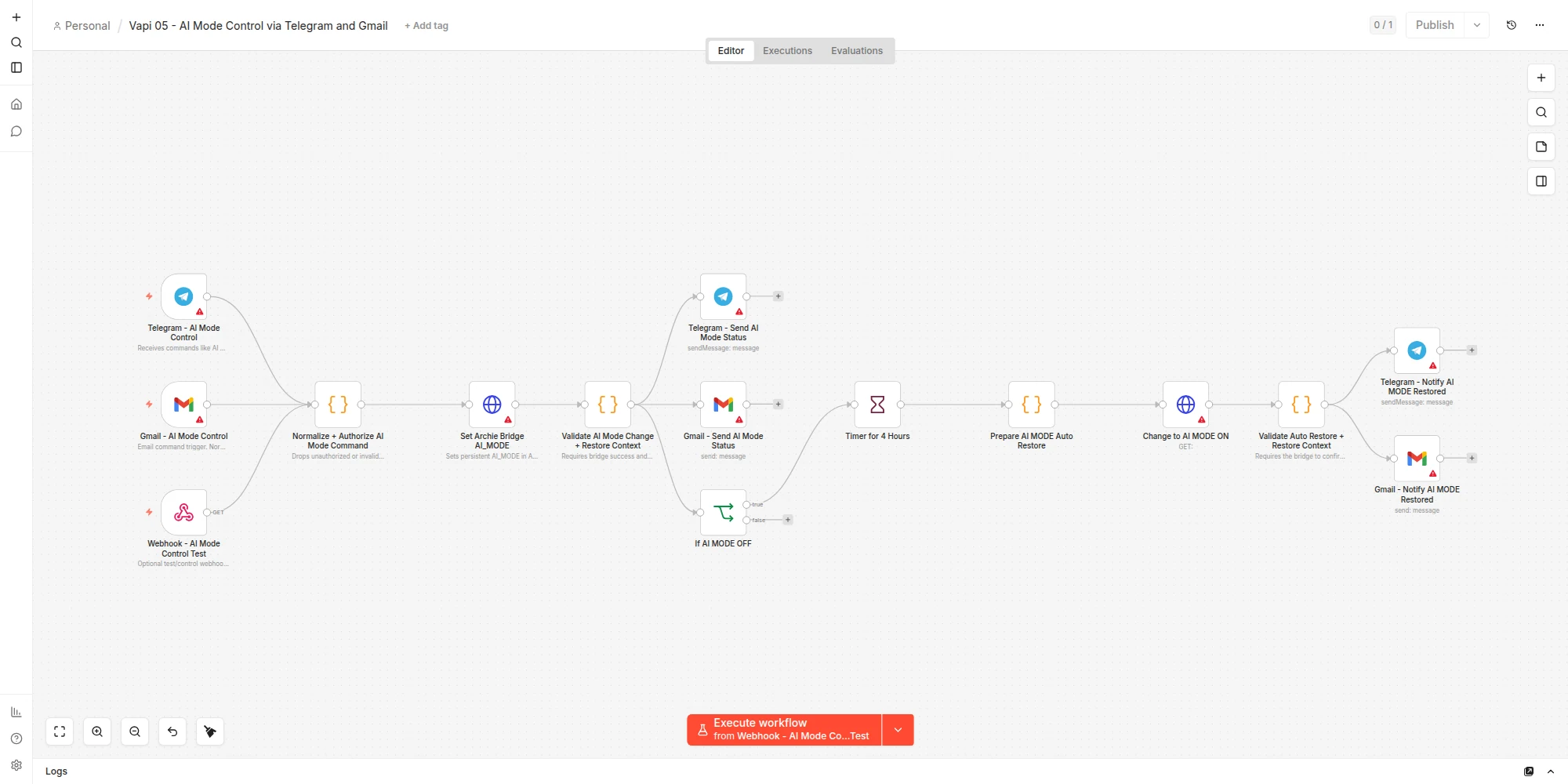
Actual n8n capture: AI Mode Control
Telegram, Gmail, or protected webhook command -> authorize -> set AI mode -> validate -> notify -> four-hour timer -> restore AI mode and confirm
Open full-size screenshot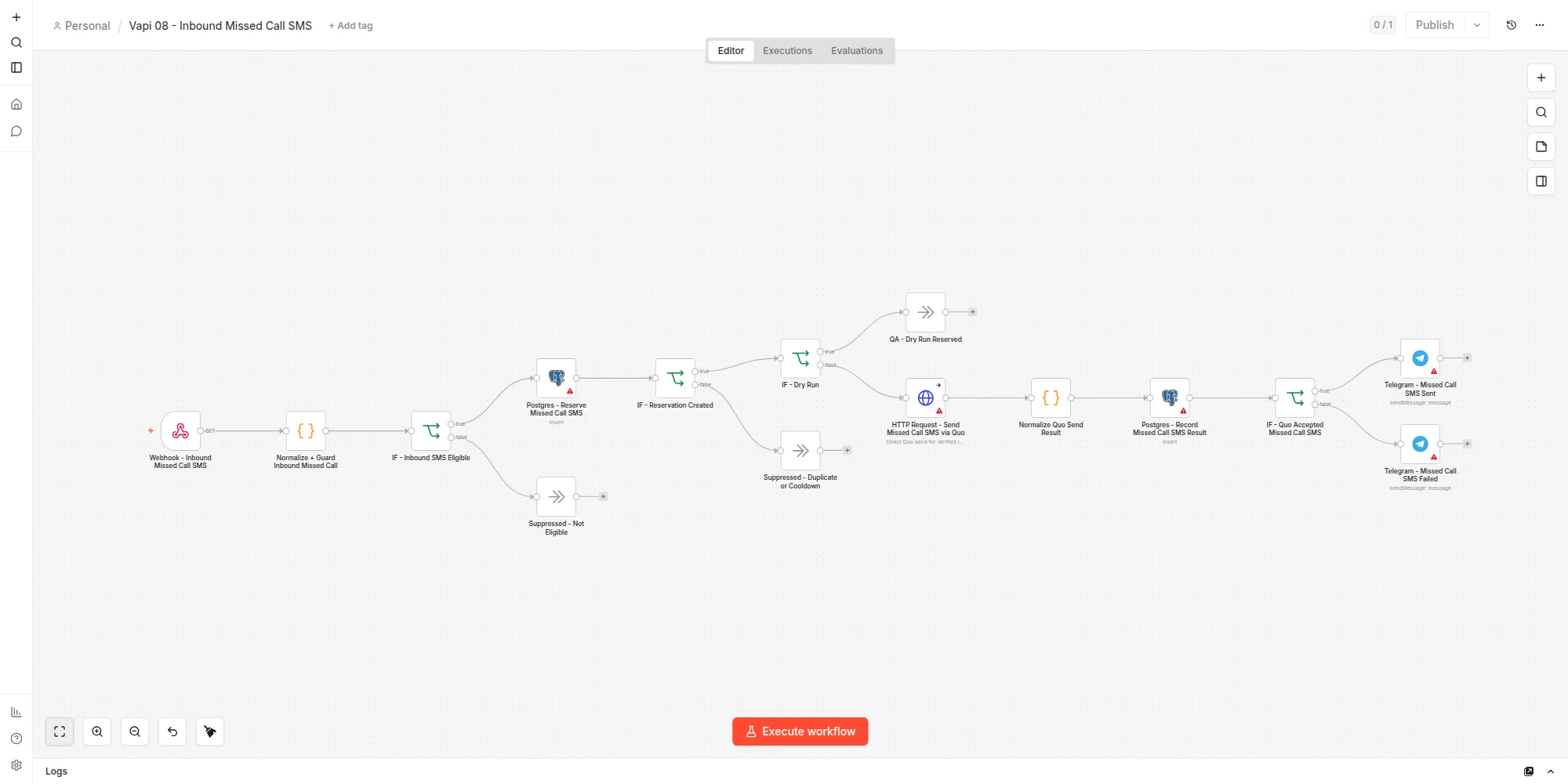
Actual n8n capture: Vapi 08 Inbound Missed-Call SMS
Final inbound report -> eligibility checks -> PostgreSQL reservation and cooldown -> dry-run bypass or Quo request -> record result -> operator notification
Open full-size screenshotSafety and operations judgment
AI calls without losing control.
The setup keeps the business in control of its phone operations. Customer-facing sends use shared eligibility gates and test-number controls, bookings require a real Calendly confirmation, repeated call events are deduplicated in PostgreSQL, missed inbound calls wait for final message evidence, and private call data stays out of public materials.
No production routing changes without approval.
Test-number filters during proof phases.
Existing fallback paths preserved where needed.
No raw secrets, webhooks, call data, transcripts, or numbers in public materials.
Assistant prompt edits kept narrow during live debugging.
Booking only confirmed when the real scheduling action succeeds.
Missed-call SMS waits for final evidence and fails closed when voicemail or message evidence is incomplete.
Dry-run QA proved authentication, suppression, duplicate, and cooldown behavior; live Quo delivery for the exact new copy was intentionally skipped.
Outcome
A voice agent wired into the business.
- Maintained fifteen documented Vapi and n8n workflows, with nine published active workflows.
- Designed separate inbound and outbound assistant behavior.
- Tested a Twilio verified caller-ID bridge that connects answered calls into Vapi.
- Created a PostgreSQL-backed reporting path for Vapi end-of-call events into Gmail and Telegram.
- Added direct Quo fallback SMS with shared eligibility and duplicate-prevention gates.
- Added final-state inbound missed-call SMS with voicemail and message suppression, durable reservation, and a 24-hour caller cooldown.
- Connected live Calendly availability and booking with confirmation guardrails.
- Added Telegram, Gmail, and protected-webhook AI Mode control for safe human override.
- Preserved production safety through approval gates, test-first routing, and fallback paths.
Outbound agent
Inbound agent
Twilio bridge
Booking safety
Email reports
Telegram alerts
AI ON / OFF
Documentation
Skills demonstrated
Operator-led voice agent work.
In short
I built and operated a Vapi voice system with fifteen documented n8n workflows across call reporting, Quo booking and missed-call SMS, Calendly booking, PostgreSQL deduplication and cooldown state, Telegram and Gmail reporting, and human AI mode controls so the business can use voice AI without losing operational control.